
Core features
Every capability a meeting room display should have.
Six focused feature areas — no bloat, no half-baked add-ons. Everything below is included on every plan.
.png)
Calendar sync
Microsoft Integration
Two-way sync with Microsoft 365, Exchange, and Teams. Book in Outlook, walk up to the room, extend on the tablet — every surface stays in sync in seconds.
Exchange & Microsoft 365
Google Workspace
Teams links surfaced on the display


.png)
At-a-glance
Color-Coded Status
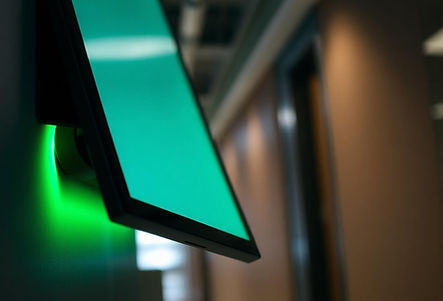
The screen bezel and LED bar glow green when free, red when occupied, and amber when a meeting is about to start. Room status is visible from anywhere on the floor.
Green / Amber / Red states
Configurable per-room accent
Works in bright open-plan offices
.png)
On-device actions
Built-In Controls
Extend, end early, or book ad-hoc — all directly on the tablet. No laptops, no companion apps, no calling IT.
Extend and end from the display
Ad-hoc bookings in one tap
Report an issue with a room
.png)
.png)
Hardware-agnostic
Bring Your Own Device
Runs on the tablets you already own. Samsung Galaxy Tab, iPad, Surface Go, Qbic panels — deploy this afternoon without a procurement request.
Android, iPadOS, Windows
PoE tablets supported
Reuse existing devices
.png)
Fleet management
Setup & Administration
A single web console for every device, room, and policy. Push updates, rotate credentials, and audit changes across the whole fleet.
Central room & device console
Remote config and updates
Role-based access for facilities & IT
.png)
Enterprise-ready
Enterprise Grade Security
SSO, SCIM provisioning, encrypted device pairing, and audit logs. Meets the controls your IT and security teams already ask for.
SAML SSO — Azure AD & Okta
SCIM 2.0 user & room provisioning
ISO 27001 & SOC 2 aligned